For projects too complex for a spreadsheet.
Big Projects Start Here.

Map every idea on a visual canvas. Connect the details that matter — notes, checklists, budgets, crew, photos — and bring your most ambitious productions to life.

Start Free See How It Works

No credit card required.  ·  Privacy Policy

Scroll
Connect Everything

One canvas. Every connection.

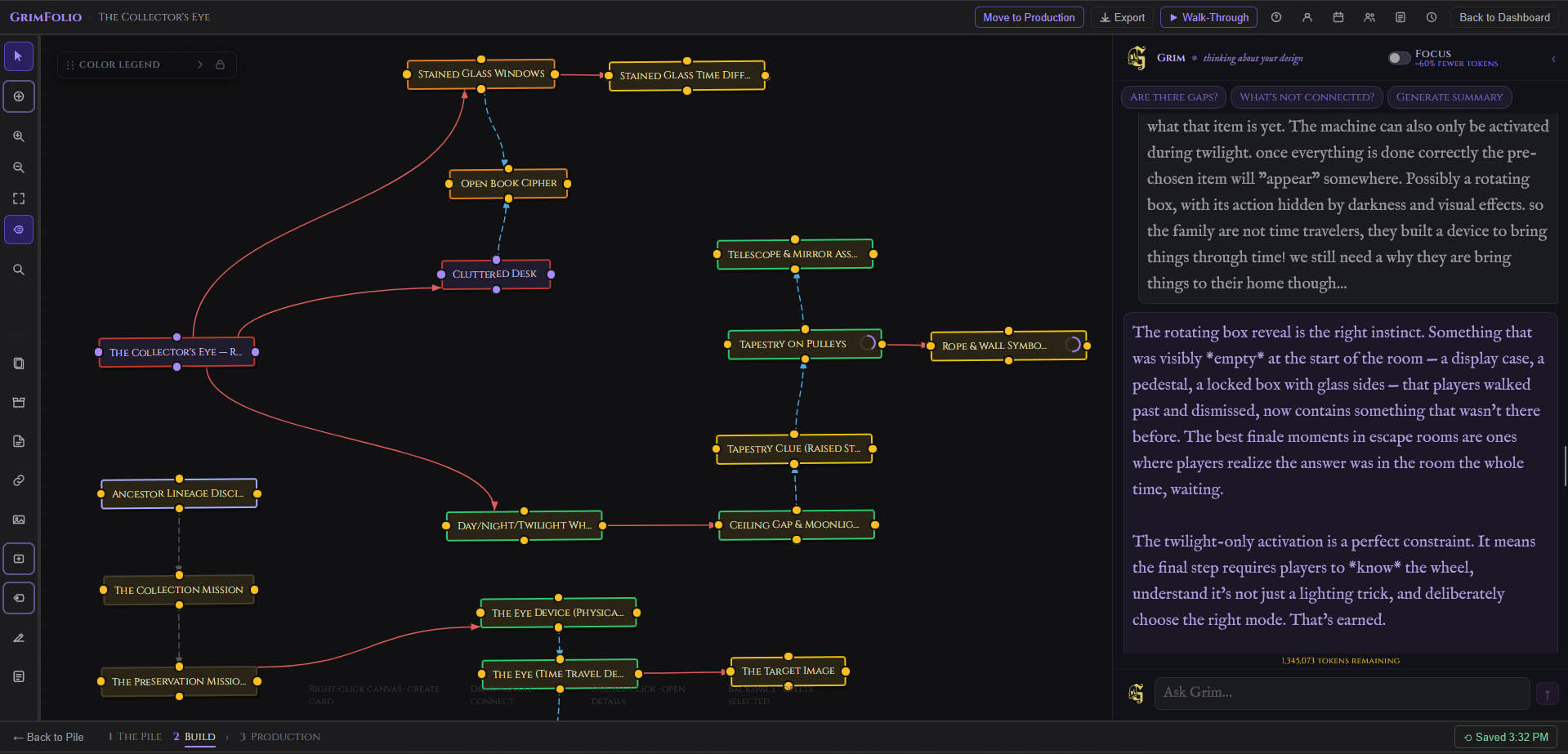
Place your cards on an infinite canvas and connect them with labeled paths. Show flow, dependencies, and relationships between every element. Load a floor plan as a background image and place room cards directly on top of it. Draw zone boundaries and measure spaces with scale-accurate drawing tools. Your entire project becomes visible on one screen — the way a project should look.

GrimFolio canvas showing The Collector's Eye escape room project
The best finale moments are ones where players realize the answer was in the room the whole time, waiting. — Grim, on The Collector's Eye
Start Building Yours

Builds with GrimFolio:

Haunted House Escape Room Theater & Events Film & Production Cosplay & Builds Story Writing TTRPG & D&D Anime & Fan Projects
SEE IT IN ACTION

Plan your entire project on one canvas.

Place cards. Connect them. Open any card to see every detail — notes, checklists, and budgets — without leaving the canvas.

GrimFolio The Collector's Eye Move to Production
controls lighting for
activates
Room
The Collector's Eye — Room Master
Mechanism
Day/Night/Twilight Wheel
Mechanism
The Eye Device (Physical)
Mechanism Day/Night/Twilight Wheel ×
Notes
"Rotating it cycles the room through three distinct lighting states: DAY, NIGHT, and TWILIGHT. The wheel is not labeled — players must discover what each position does."
Checklist — 4 / 7
Design and fabricate the wheel...
Engrave or paint symbols...
Determine wheel positions...
Wire wheel rotation to lighting...
+3 more...
  1. 1 The Pile
  2. 2 Build
  3. 3 Production
Wiki & Help Docs
MECHANISM
Day/Night/Twilight Wheel
Build
×
NOTES
Rotating it cycles the room through three distinct lighting states: DAY, NIGHT, and TWILIGHT. Each state unlocks different puzzle elements. The wheel itself is not labeled — players must discover what each position does through experimentation.
CHECKLIST
0 / 7 4 / 7
Design and fabricate the wheel (material TBD)
Determine wheel positions — three distinct click-stops
Wire wheel rotation to lighting control system
Program DAY state — overhead lights full
Engrave or paint day/night/twilight symbols on wheel face
Program NIGHT state — moonlight column active
Program TWILIGHT state — LED lanterns activated
BUDGET
Wheel fabrication (materials) $240
Arduino lighting controller $85
Subtotal $325
EVERY CARD IS A PLAN

Notes. Checklists.
Budget. All in one card.

Every idea in your pile becomes a complete, buildable piece of the project. Open any card to find everything about that element — no switching apps, no spreadsheet columns.

Start your project free

Concept art from your notes.
Instantly.

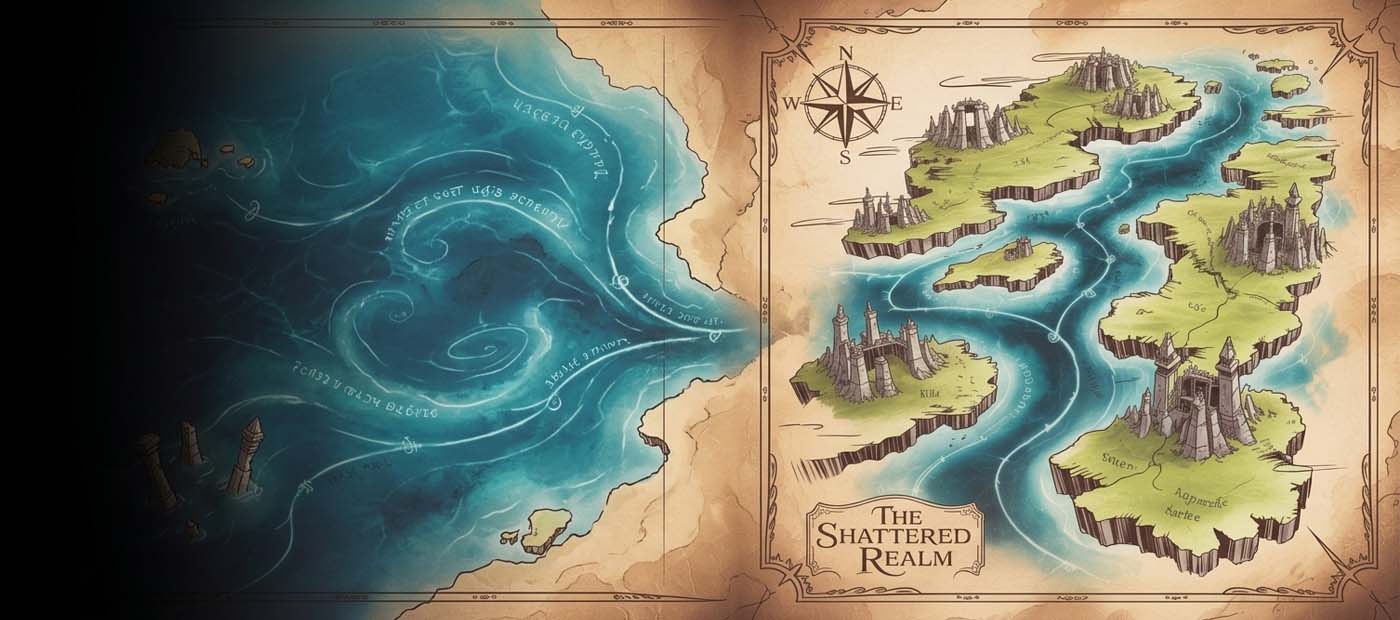
Describe a character or location in Grim — GrimVision renders production-ready concept art, world maps, and scene references tuned to your niche.

GrimVision — AI Concept Art Generator
Grim's Inferno — Save
NPC
CARDS & COLORS
Maren the Ashen Cartographer
Notes
A cartographer who maps places that don't exist yet — or places that used to exist and shouldn't anymore. Her right hand is permanently stained grey to the wrist, origin unknown, and she doesn't discuss it. Travels alone, always arriving just ahead of something significant.

Her maps are accurate, but they show destinations players haven't reached yet — raising the question of whether she's documenting the future or causing it. Has a complicated relationship with the concept of borders — political, physical, and metaphysical.

Rumored to have mapped the Interstitial Market, though she denies having been there. Her presence in Ashveil is either a coincidence, or the least coincidental thing that has happened in the village in years.
‹ Back GRIMVISION ? ✦ 17 Credits
✓ Saved to Library
Generate more
1
The Pile
2
Build
3
Production

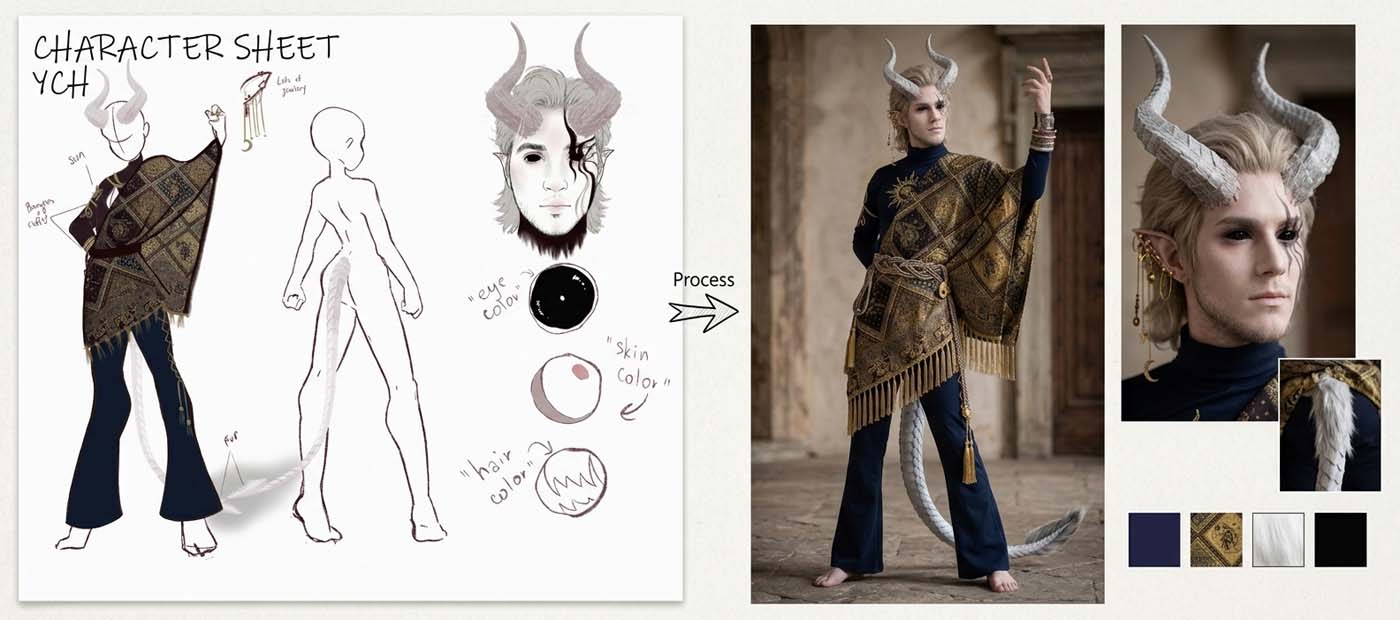
From sketch to concept art.
In seconds.

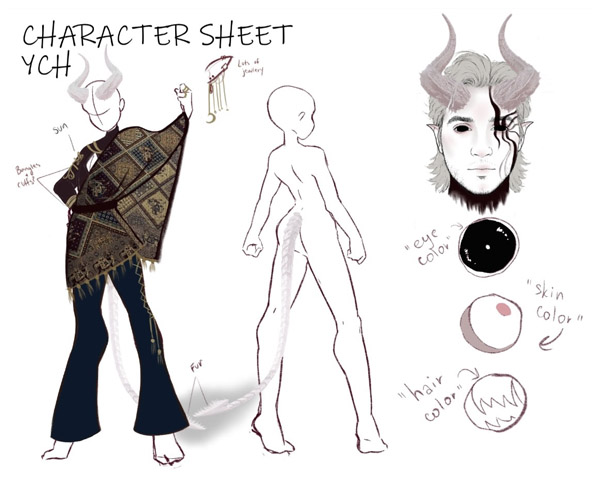
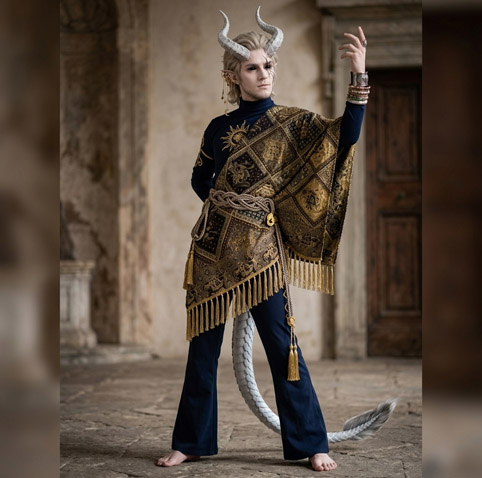
Upload a character sketch or describe your vision — GrimVision generates production-ready concept art tuned to your niche.

Tobi character sketch
Original sketch · Costume designer's reference
GRIMVISION
Tobi GrimVision render
GrimVision render · Character Portrait · Dramatic

Built for how you work.

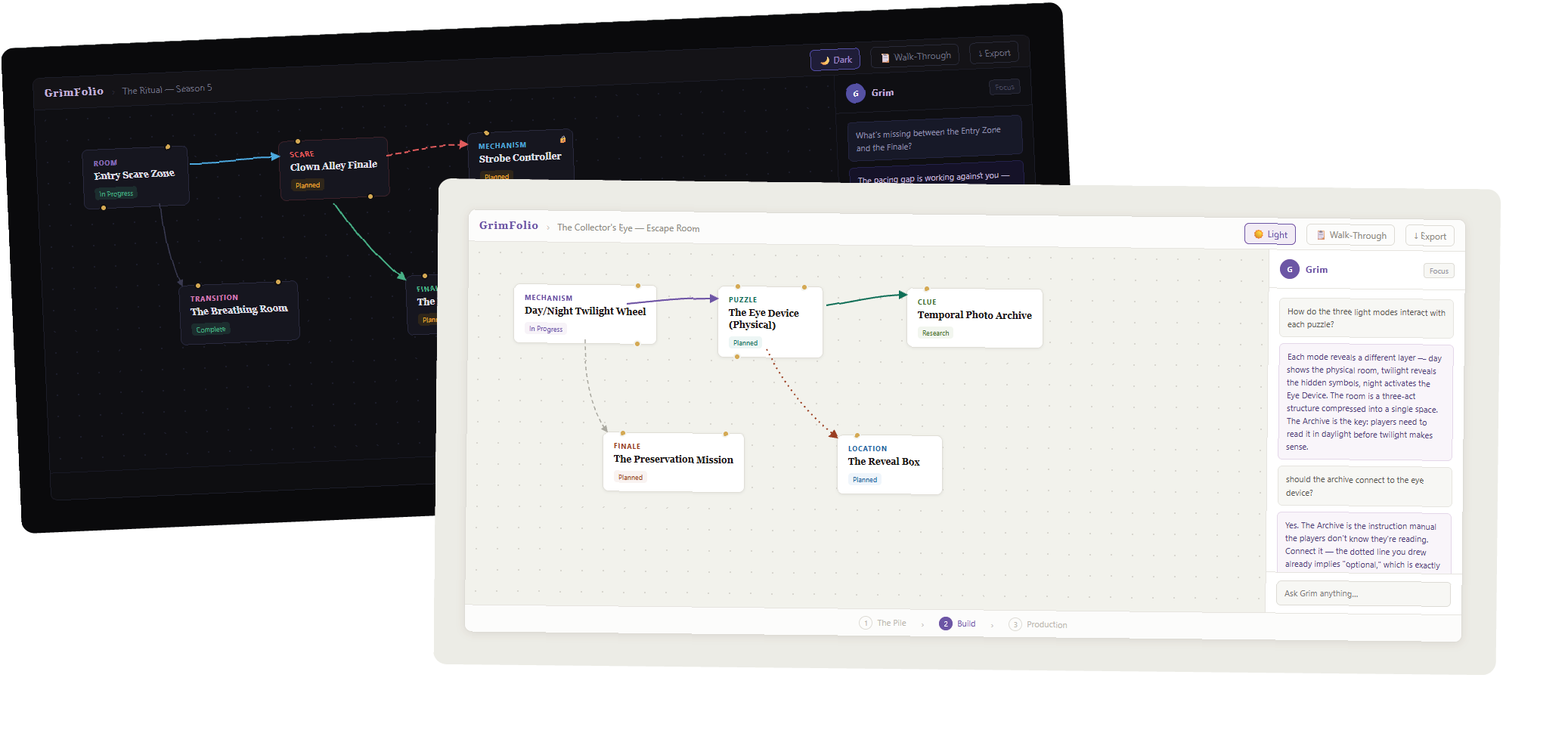
Toggle between light and dark from Account → Appearance. Your preference persists across every session and every project.

Light and dark mode

Collaborate and work with a team.

Invite editors and viewers to any project. Track every change, leave team notes, and always know what happened while you were away.

The Ritual — Season 5
⟲ Restore
📋 Walk-Through
🕐 Activity
👥 Team
↓ Export
Activity
Team
Timeline
Sarah K. May 20 · 2:14 PM
Created card "Clown Alley Finale"2:14 PM
Updated "Entry Scare Zone"2:11 PM
Connected two cards2:09 PM
Completed checklist on "Fog Machine Rig"1:58 PM
Marcus T. May 20 · 1:33 PM
Updated budget on "Actor Costumes"1:33 PM
Added "Strobe Controller"1:28 PM
Connected two cards1:22 PM
Jamie R. May 19 · 11:02 AM
3 actions — click to expand
Load more
Room
Entry Scare Zone
In Progress
Scare
Clown Alley Finale
Planned
Mechanism
Fog Machine Rig
Complete
Prop
Strobe Controller
Planned
1
The Pile
2
Build
3
Production
Activity Log
Grim's Inferno — TTRPG Campaign
📝 Notepad
🕐 Activity
👥 Team
↓ Export
Team Notepad
Sarah K.
Pellucid's merchant stall needs a physical prop — can we source a snail shell large enough to build around? Checking with props team Monday.
May 20 · 1:42 PM
Marcus T.
Budget for Act 2 lighting is tight — we're at $2,400 of $2,800. Hold off on the blackout scrim until we confirm Act 1 numbers.
May 20 · 11:15 AM
Jamie R.
The soul merchant card needs a "known associates" checklist — Grim flagged three NPC connections we haven't placed yet.
May 19 · 4:08 PM
Add a note for your team…
Ctrl+Enter to send
NPC
Pellucid the Collector
Key Character
Location
The Shell Stall
Planned
Item
Snack Inventory
Planned
Quest
The Snail's Agenda
Planned
Faction
Ancestor Lineage
Disciplines
Research
1
The Pile
2
Build
3
Production
Team Notepad
Account Settings
Invite Someone
The Ritual — Season 5
SK
Sarah K.
s.kowalski@theritual.com
Accepted
MT
Marcus T.
marcust@design.co
Accepted
JR
Jamie R.
jamie@productions.io
Pending
Grim's Inferno — TTRPG
AL
Alex L.
alex@dungeonsessions.com
Accepted
TR
Taylor R.
taylor@rpgdesign.net
Accepted
Team Management
Three Stages. One Project.
From idea to opening night.
Stage 1 — The Pile Capture every idea before it escapes. Cards, types, notes, checklists, and photos. No structure required. The only job is to fill the pile.

Stage 2 — Build Place cards on an infinite canvas. Connect them. Show flow and dependencies. Load floor plans. Draw zone boundaries. See the whole project at once.

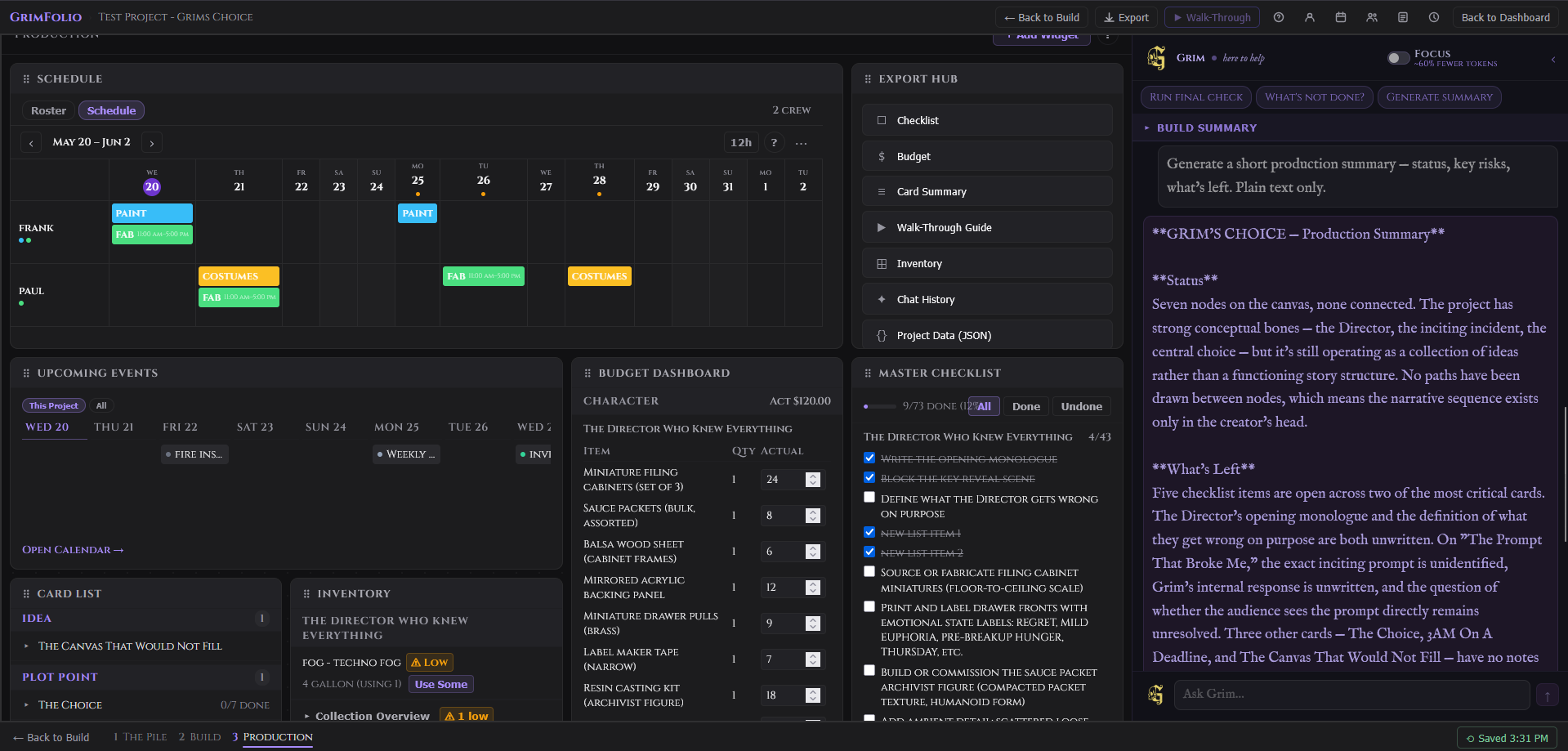
Stage 3 — Production When planning shifts to building, track the work. Master checklists, budget dashboards, schedule, inventory — all synced live with your canvas.
"Five checklist items are open across your two most critical cards. The Director's opening monologue is unwritten. That's your blocker."
GrimFolio Stage 3 Production

Built for your craft.

Canvas & Mapping

Drag cards onto a spatial canvas and connect them with styled paths.

Three-Stage System

Capture in the Pile, structure in Build, execute in Production.

Grim AI

Your AI collaborator — reads your whole project and thinks alongside you.

GrimVision

Generate concept art from your card notes in seconds.

Walk-Through Mode

Step through your connected cards in sequence — great for pitches and rehearsals.

Export Hub

Checklist, budget, card summary, Walk-Through guide — all as clean PDFs.

Budget Tracking

Per-card line items with qty, cost, totals, and a project-wide budget cap.

Master Checklist

Every checklist item across every card, surfaced in one place.

Inventory Manager

Track materials, quantities, and low-stock alerts across your whole project.

Inspiration Library

Save reference images and link them directly to cards.

Scheduling & Gantt

Crew roster, shift grid, and upcoming events — built for production.

Restore Points

10 automatic + 5 manual project snapshots. Roll back anything.

Activity Log

See exactly what your team did and when — grouped by person.

Team Notepad

A shared scratchpad for your collaborators, always one click away.

Styled Connections

Color and style every path — solid, dashed, or dotted, in 8 colors.

Card Lock

Lock any card in place so your canvas layout stays exactly where you left it.

Reference Documents

Attach documents to your project. Grim reads them for context.

Project Linking

Connect related projects and copy cards between them.

14 Built-In Templates

Start fast with templates for haunted houses, escape rooms, TTRPG, film, and more.

Custom Card Types

Define your own card vocabulary to match exactly how you think.

The Ritual — Season 5
↓ Export
Room
Entry Scare Zone
In Progress
Scare
Clown Alley Finale
Planned
Transition
The Breathing Room
Complete
Mechanism
Fog Machine Rig
Complete
G Grim
what's missing between entry and the finale?
The Breathing Room is isolated — connect it between Clown Alley and the Finale. Guests need one moment to think they've made it. They haven't.
1
The Pile
2
Build
3
Production
Haunted House
Every scare
has a blueprint.
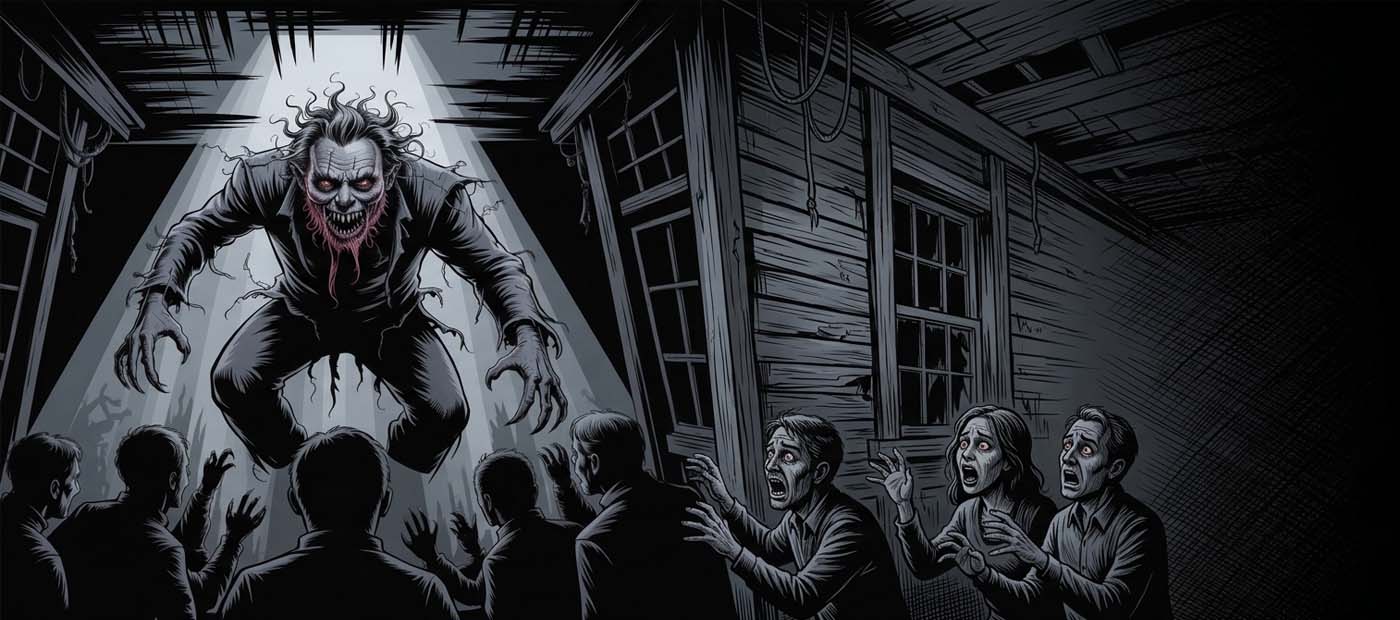
Map your rooms, scares, and actor cues on a connected canvas. Grim helps you pace the experience — flagging dead zones, suggesting beats, and keeping the story arc tight from entry to finale.
"The gap between Clown Alley and the Finale is working against you. Guests are catching their breath — which means they're resetting. You want them never to feel safe."
Grim's Inferno — Arc 1
↓ Export
NPC
Maren the Ashen
Cartographer
Key Character
Location
The Interstitial Market
Rumored
Plot Point
The Ashen Hand Origin
Unknown
Settlement
Ashveil
Active
G Grim
does maren know about the interstitial market?
She's been there. The denial is the tell — she mapped it, which means she chose it. The ashen hand may be the price of entry, not the origin story.
1
The Pile
2
Build
3
Production
Optional AI Collaborator
When you want a second opinion, Grim is there.
Grim reads your entire project before he responds — every card, every note, every connection. He finds gaps before opening night does, builds checklists, thinks through flow, and stress-tests your sequences.

The tool works completely without him. Most people who try him keep using him.
The Betrayal — Stage Play
📋 Walk-Through
Act
Act One — The Coronation
Locked
Scene
The Masked Advisor Reveals
In Progress
Character
The Young Prince
Active
Blocker
Missing Act 2 inciting scene
Unresolved
G Grim
act 2 feels empty
There's no inciting scene — the Masked Advisor reveals information but doesn't force a choice. Add a scene where the Prince must decide before he has all the facts.
1
The Pile
2
Build
3
Production
Theater & Film
From first draft
to opening night.
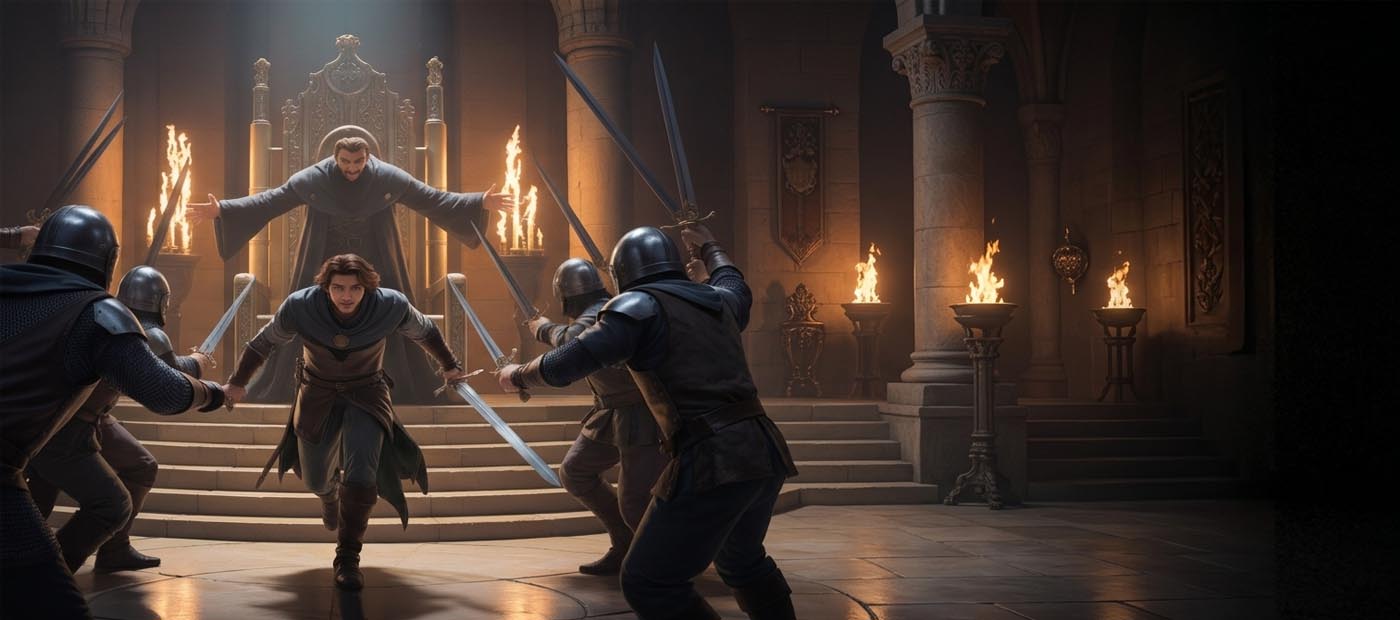
Acts, scenes, characters, blocking notes — all on one canvas. GrimVision generates storyboard panels and cutscene references. Grim reads your whole structure and tells you what's missing before rehearsals start.
"Act Two has no inciting scene. The audience will feel the drag before they can name it. What happens between the coronation and the confrontation?"
Tobi — Convention Build
↓ Export
Character
Tobi — Reference Sheet
Locked
Component
Horn Armature
In Progress
Material
Tapestry Fabric (5 yards)
Sourced
Milestone
Convention — Aug 15
Deadline
G Grim
what order do i build in?
Horn armature first — it determines the headpiece fit. Tapestry cut second. Tail assembly last, it's the lowest risk item on the board.
1
The Pile
2
Build
3
Production
Costume & Cosplay
Concept to con.
Every detail tracked.
Character references, materials lists, vendor contacts, build checklists — all connected on one canvas. GrimVision generates costume references from your notes. Grim helps you plan the build sequence so nothing gets left to the last minute.
"The horn armature needs to ship before you can fit the headpiece. That's your critical path — everything else is flexible around it."
Shadow Realm Chronicles — Arc 2
↓ Export
Chapter
Ch.12 — The Awakening
Complete
Boss
Shadow Lord — True Form
Reveal Pending
Character
Kenji — The Rival
Arc 2 Active
Plot Point
Rival's Hidden Allegiance
Contradiction
G Grim
does kenji's motivation hold up in arc 3?
Not yet — if he knew about the Shadow Lord in Ch.7, his loyalty in Ch.12 is either a lie or a choice. Decide which before the reveal lands or readers will feel it.
1
The Pile
2
Build
3
Production
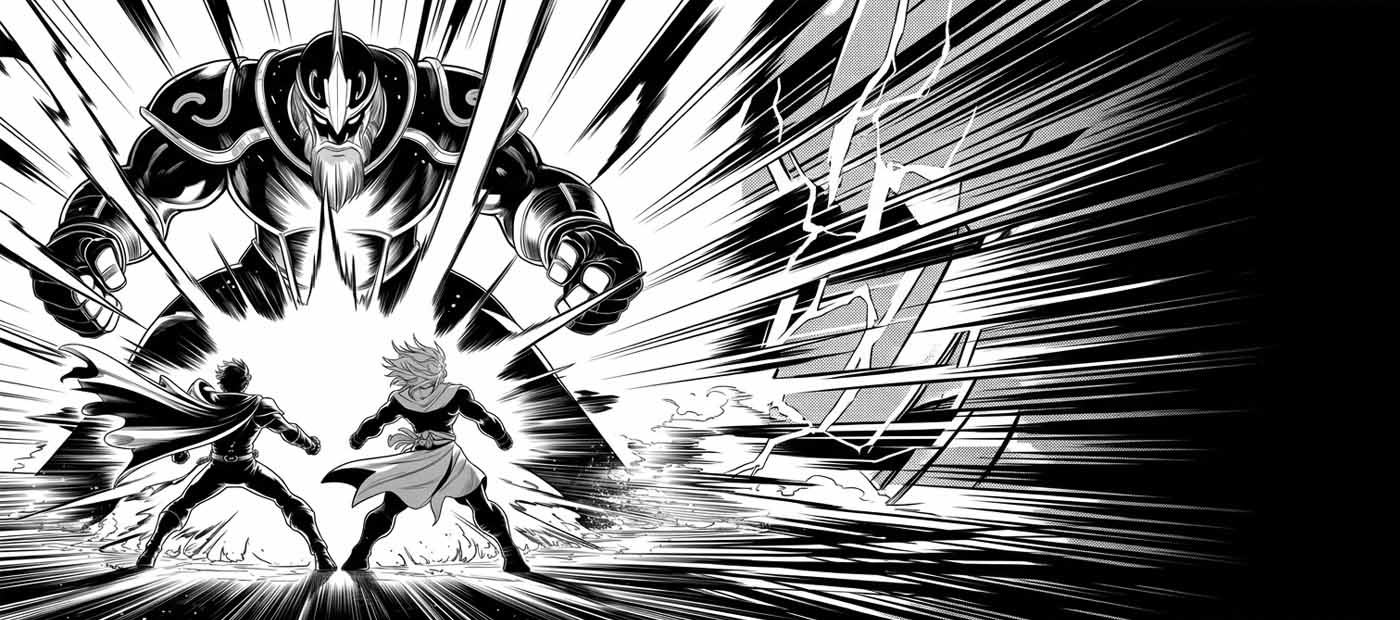
Anime & Manga
Plan the arc.
Not just the chapter.
Plot beats, character arcs, world lore, chapter outlines — mapped so you can see the whole story at once. GrimVision generates panels and scene concepts. Grim keeps your narrative logic consistent across every arc.
"The rival's motivation in Arc 3 contradicts what you established in Chapter 7. Either he knew all along, or the reveal breaks the reader's trust. Which story are you telling?"

Frequently Asked Questions

What is GrimFolio?
GrimFolio is a creative project planning tool built for people who make immersive experiences — haunted houses, escape rooms, theater productions, film, TTRPGs, live events, and anything else with a lot of moving parts. It gives you a structured way to capture ideas, map how everything connects, and manage your production from concept to opening night.
What kinds of projects can I use it for?
Any creative project with interconnected pieces. A 30-room haunted attraction and a 5-puzzle escape room are both great fits. So is a short film, a tabletop campaign, a cosplay build, or a community theater production. GrimFolio works at any scale — you don't need a massive project to get value from it.
Why use GrimFolio instead of Notion, Trello, or a spreadsheet?
Those tools are built for generic task management. GrimFolio is built specifically for creative productions — the three-stage system mirrors how creative projects actually develop, the canvas lets you map spatial and narrative relationships between elements, and Grim understands your project deeply enough to give you real input instead of generic advice. It's the difference between a tool that tolerates your workflow and one built around it.
How is GrimFolio different from a mind map tool?
Mind maps capture structure but don't hold production details. In GrimFolio, every card carries notes, checklists, budget lines, photos, inventory assignments, and more. Your map is also your production bible — not just a diagram.
How does the three-stage system work?
Stage 1 (The Pile) is pure capture — dump every idea as a card without worrying about structure. Stage 2 (Build) is where you drag cards onto a canvas, connect them, and map how everything fits together. Stage 3 (Production) replaces the canvas with a customizable command center — checklists, budgets, schedules, crew, and your walk-through all in one place. You move between stages at your own pace and can always go back.
Is it actually free?
Yes. The Free plan is genuinely free — no credit card required. You get 3 projects, document exports, and a preview of Grim. If you outgrow it, paid plans start at a one-time purchase with no subscription required.
What do I get on the free plan?
3 projects, 50 inspiration images, all document exports (checklist, budget, card summary, walk-through guide), and a limited preview of Grim. No credit card needed to sign up.
Why does it cost money?
Building and running GrimFolio — the AI infrastructure, storage, worker compute, and ongoing development — has real costs. Paid plans fund continued development and keep the free tier genuinely useful. We'd rather charge fairly than show you ads or sell your data.
Is the AI optional?
Completely. Grim is there when you want her and out of the way when you don't. The Base Unlimited plan has no Grim access at all and is still a full-featured planning tool. Every core feature works without AI.
What can Grim actually do?
Grim reads your entire project — cards, connections, notes, budgets, linked documents, crew schedule, and linked projects — and uses that context to give you specific, useful input. She can create cards, build checklists, suggest connections, generate project summaries, flag gaps in your plan, and help you think through problems. She's not a generic chatbot. She knows your project.
Is my data used to train AI?
No. Your project data is never used to train AI models. Grim uses your content as context for your session only. We do not share or sell your data.
Is it safe to connect my Google account?
Yes. Google sign-in uses the standard OAuth flow — we never see your Google password. If you connect Google Drive, GrimFolio only has access to files it creates. We cannot read the rest of your Drive. You can disconnect Google at any time from Account Settings, and you can revoke access entirely from your Google account security settings.
Do I need a Google account to use GrimFolio?
No. You can sign up with any email address. Google sign-in is optional and only required if you want to use Google Drive backup features.
Can I use GrimFolio on mobile?
Yes. GrimFolio works on mobile browsers. The canvas is optimized for desktop, but Stage 1, Stage 3, and most tools are fully usable on a phone or tablet.
Can I collaborate with others?
Studio plan users can invite up to 5 collaborators per project. Collaborators share the canvas, card details, Team Notepad, and Walk-Through in real time. The Activity Log tracks every change with attribution.
What happens to my projects if I cancel my plan?
Your projects stay. You drop to Free plan limits — 3 projects become accessible, the rest are preserved but not visible until you upgrade again. You never lose data.
Can I export my data? Am I locked in?
No lock-in. Export any project as a Quick Export (JSON) or Full Export (ZIP) at any time, on any plan. Full Export includes every card, connection, image, document, and your Grim chat history. Import it back into any GrimFolio account or keep it as an archive.
Can I switch plans?
Yes, any time. Upgrade instantly. Downgrade at the end of your billing period.
What is a Founder membership?
The first 100 paid members get 20% off their plan forever, a gold G avatar, and a Founder Badge on their profile. Use code FOUNDER at checkout. Once 100 spots are gone, they're gone.
What does GrimFolio NOT do?
GrimFolio is not a ticket sales platform, a point-of-sale system, a staff payroll tool, or a full enterprise project management suite. It's focused on the creative and production planning side of immersive experiences. If you need those other tools, GrimFolio works alongside them — not instead of them.

Choose your plan

Start free. Upgrade when you're ready. No surprises.

Monthly
Annual 2 months free
Free
$0 forever
The full tool. Three active projects, no AI.
  • 3 active projects
  • 50 inspiration images
  • All 3 stages (Pile, Build, Production)
  • Inspiration Library
  • 2 reference documents
  • 14 built-in templates
  • Custom card types
  • Watermarked export
  • Grim Tokens — buy as you go
  • No scheduling
Get Started
Unlimited
$79 one-time
Full tool forever. No subscription, no AI.
  • Unlimited projects
  • 200 inspiration images
  • All 3 stages (Pile, Build, Production)
  • Walk-Through mode
  • Inventory management
  • Inspiration Library
  • 14 built-in templates
  • Custom card types
  • Clean export
  • "Built with GrimFolio" toggle
  • All future feature updates
  • Grim Tokens — buy as you go
  • No scheduling
Buy Once
Studio
$35 /month
Built for teams. Collaboration + white-label.
  • Unlimited projects
  • 2000 inspiration images
  • 2M Grim Tokens/month (~650 exchanges)
  • Unlimited reference documents
  • Scheduling & Gantt view
  • Calendar & Upcoming Events
  • Project linking & cross-project context
  • 5 collaborators/project
  • Activity log + restore points
  • White-label export
Start Studio
🜏
Founder Access — First 100 Members
Use code FOUNDER at checkout

20% off your plan forever, the exclusive gold G mark avatar, and a Founder badge. Reserved for the first 100 paid members at any tier.

97spots remaining

How GrimFolio Works

GrimFolio is a project planning and production management tool for creative teams. We help teams collaborate on creative assets, track production timelines, and streamline workflows.

Google Sign-In

We use Google Sign-In to securely authenticate users and verify your email address. This lets you create and access your account quickly and safely without a separate password.

Google Drive Integration

GrimFolio optionally backs up your projects directly to your Google Drive. We only access files we create — we do not view, edit, or delete any other files in your storage. See our Privacy Policy.